 Admin
Admin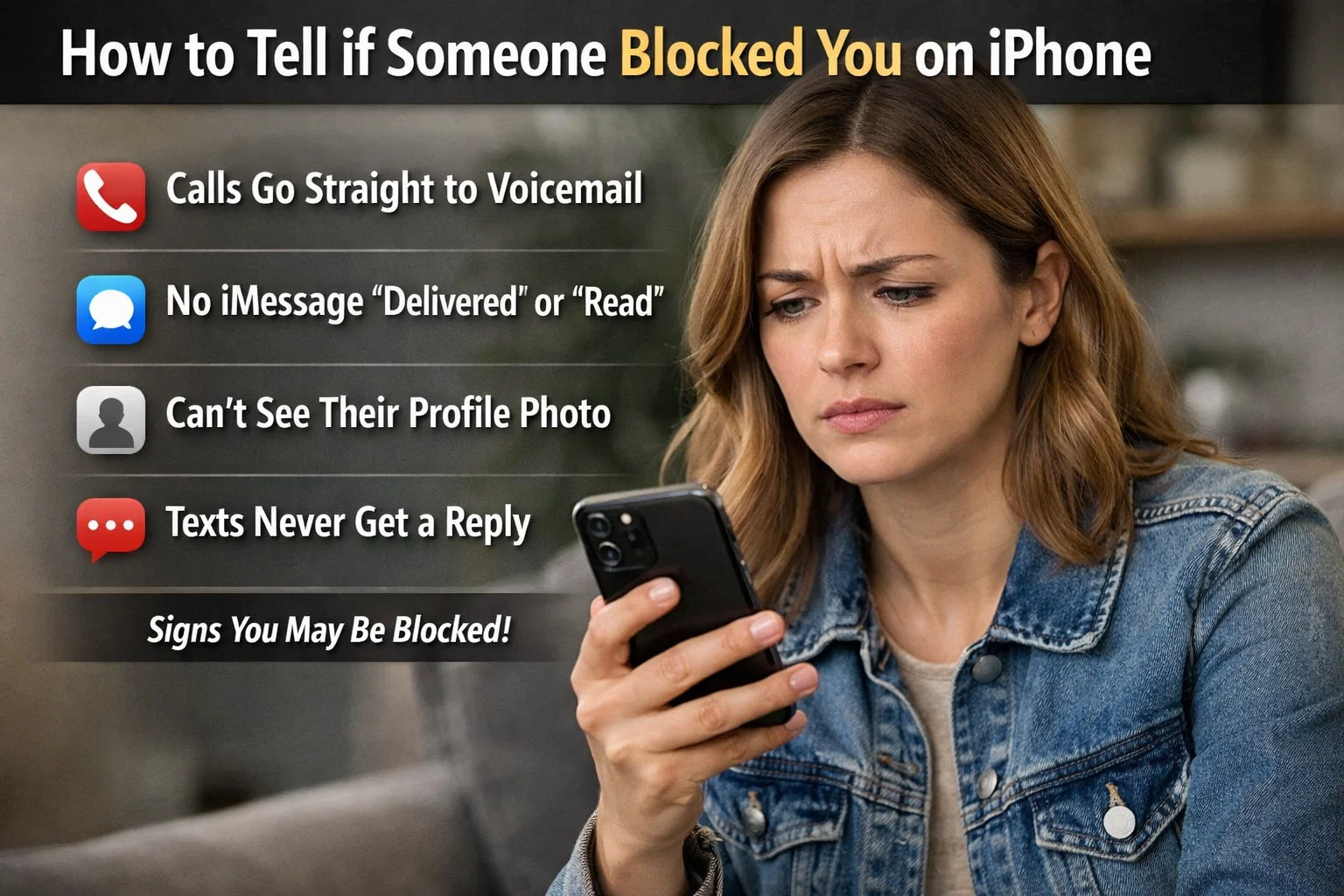
Communication today feels instant and effortless, especially when you’re using an iPhone. But sometimes, a message goes unanswered, calls don’t connect, and doubt begins to grow. If you’ve ever wondered how to tell if someone blocked you on iPhone, you’re not alone. This is one of the most searched concerns among smartphone users, particularly those relying on Apple’s ecosystem for daily communication.
The truth is, Apple intentionally protects user privacy. The company does not send notifications when someone blocks you. Instead, it leaves subtle signs across apps like Messages, Phone, and FaceTime. Understanding how to tell if someone blocked you on iPhone, these indicators helps you avoid unnecessary confusion and emotional stress. In this detailed guide, you’ll learn the verified signs, practical checks, and common misconceptions—so you can interpret the situation calmly and correctly.
Understanding How Blocking Works on iPhone
Before jumping into signs, it’s important to understand how blocking functions on an iPhone. When someone blocks your number, your calls go directly to voicemail, your texts do not notify them, and you cannot reach them through FaceTime. How to tell if someone blocked you on iPhone? However, your phone does not explicitly inform you about being blocked. This design reflects Apple’s strong privacy standards.
Blocking affects communication at the device level, not the carrier level. That means your mobile provider doesn’t notify you either. The system simply restricts interaction silently. Because of this, you must rely on patterns rather than one single signal. Observing multiple indicators together is the most reliable approach when trying to determine what’s happening.
Check iMessage Delivery Status
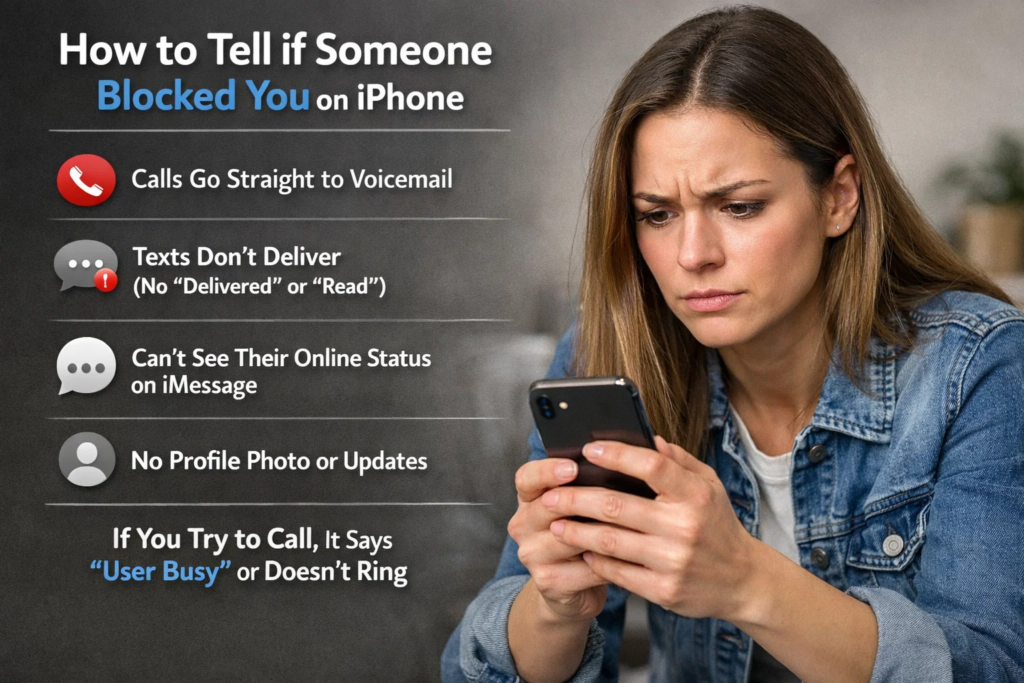
One of the first places to look is the Messages app. If you previously exchanged iMessages with the person, you likely noticed the small “Delivered” or “Read” notification under your messages. When blocked, your message will not show “Delivered.” It will simply remain as sent, with no confirmation beneath it.
How to tell if someone blocked you on iPhone? However, this alone does not confirm blocking. The recipient may have turned off their phone, enabled Airplane Mode, or switched to a different device. Sometimes network issues also delay delivery status. To assess accurately, send a polite test message and observe patterns over time rather than relying on a single attempt.
Notice the Bubble Color in Messages
How to tell if someone blocked you on iPhone? Another subtle sign involves message bubble color. iMessages appear in blue bubbles, while SMS texts appear in green. If your previous conversations were blue and suddenly turn green, it may indicate the person disabled iMessage or switched devices. In some cases, it can also suggest you’ve been blocked.
Still, this signal is not definitive. The contact could have turned off iMessage in settings or lost internet access. Therefore, combine this observation with other clues before drawing conclusions. When evaluating how to tell if someone blocked you on iPhone, remember that one isolated change rarely tells the full story.
Call and Listen Carefully
Making a phone call is another practical way to assess the situation. When you call someone who has blocked you, your call usually rings once or goes straight to voicemail. The voicemail greeting may still play, but your call will not notify the recipient in real time.
How to tell if someone blocked you on iPhone? However, immediate voicemail can also occur if the person’s phone is turned off, on Do Not Disturb, or in an area with poor signal. Try calling at different times of the day. If every call consistently goes straight to voicemail without ringing normally, it strengthens the possibility of being blocked.
Try Calling with Caller ID Disabled
How to tell if someone blocked you on iPhone? You can test further by hiding your caller ID. On an iPhone, you can dial *67 before the number in certain regions to mask your identity. If the call goes through normally when your number is hidden, but fails when visible, this could indicate blocking.
Use this method respectfully and sparingly. The purpose is clarity, not intrusion. If the call rings multiple times when hidden but goes directly to voicemail when unhidden, that pattern may offer stronger confirmation than text messages alone.
Check FaceTime Availability
How to tell if someone blocked you on iPhone? If you previously used FaceTime, try initiating a call there. When blocked, FaceTime calls typically won’t connect. The call may ring on your end without response or fail to establish a connection entirely. Unlike regular phone calls, FaceTime depends heavily on internet connectivity.
Again, technical issues can interfere. The recipient may not have Wi-Fi, or they might have disabled FaceTime temporarily. Therefore, view this sign in combination with call and message patterns. Multiple communication failures across apps make blocking more likely.
Look for Changes in Shared Focus Status
With newer versions of iOS, users can share Focus status, indicating when notifications are silenced. If you previously saw their Focus status and now it disappears entirely, it could mean either they disabled sharing or changed settings. It does not directly confirm blocking, but sudden shifts in visible status may provide context.
Apple regularly updates iOS with privacy improvements. As of iOS 17 and later, blocking still functions discreetly without alerts. Understanding how to tell if someone blocked you on iPhone these updates helps avoid outdated assumptions and ensures your checks are accurate.
Observe Group Message Behavior
Group chats provide indirect clues. If you share a group iMessage thread and can still see the person responding there, but your direct messages remain undelivered, blocking becomes less likely. In most cases, blocking prevents direct contact but does not remove the blocked person from shared groups.
How to tell if someone blocked you on iPhone? If you cannot see their responses at all, it might indicate you were removed from the group instead. Evaluate carefully before assuming anything. Group dynamics sometimes create misunderstandings unrelated to blocking.
Check Voicemail Behavior
When blocked, you may still leave a voicemail. How to tell if someone blocked you on iPhone? However, it will be placed in a separate section often called “Blocked Messages” on the recipient’s device. They won’t receive a notification for it. From your perspective, the voicemail appears to send normally.
This can make the situation confusing because everything seems successful on your end. The absence of response becomes your only hint. Consistency over several days or weeks is more telling than one isolated voicemail.
Consider Social Media and Other Platforms
How to tell if someone blocked you on iPhone? If you communicate outside of iPhone apps—such as on social platforms—you might notice different patterns. If the person remains active elsewhere but avoids your calls and texts exclusively, blocking becomes more plausible.
However, personal boundaries, busy schedules, or misunderstandings can also explain silence. Avoid jumping to conclusions too quickly. Technology offers clues, but human behavior is complex and context matters.
Differences Between Blocking and Do Not Disturb
How to tell if someone blocked you on iPhone? Many users confuse blocking with Do Not Disturb mode. When someone enables Do Not Disturb, calls may go to voicemail if the call is not repeated within a short period. Messages will still show “Delivered” though.
Blocking, in contrast, prevents delivery confirmation and redirects calls immediately. If your message shows delivered but calls go unanswered, it likely isn’t a block. Understanding these differences helps interpret signals accurately.
What Happens When You’re Blocked
How to tell if someone blocked you on iPhone? When blocked, you cannot send iMessages that register as delivered, your calls won’t notify the recipient, and FaceTime will not connect successfully. Importantly, you receive no official alert. Apple’s privacy design ensures the blocked person’s decision remains confidential.
Trying repeatedly may not change the outcome. Respecting boundaries is essential in digital communication. If someone has chosen to block contact, attempting to bypass that decision can escalate tension rather than resolve it.
Emotional Considerations and Healthy Communication
How to tell if someone blocked you on iPhone? Discovering potential blocking can feel upsetting. Instead of reacting impulsively, pause and reflect. Technical issues are common, and assumptions can strain relationships unnecessarily. If appropriate, consider reaching out through a mutual friend or waiting before trying again.
Clear communication is healthier than speculation. If you eventually reconnect, discussing misunderstandings calmly is more productive than confrontation. Technology provides signs, but mature handling determines outcomes.
Final Confirmation: The Balanced Approach
If you notice undelivered iMessages, immediate voicemail on repeated calls, failed FaceTime attempts, and successful connection when hiding caller ID, the combined evidence strongly suggests blocking. No single indicator confirms it entirely.
Patience and pattern recognition are your best tools. Rather than obsessing over each sign, look at the overall communication history. Consistent failure across multiple apps over time is the most reliable answer when determining how to tell if someone blocked you on iPhone.
Conclusion
Understanding how to tell if someone blocked you on iPhone requires careful observation rather than guesswork. Because Apple prioritizes privacy, there is no direct notification. Instead, you must interpret subtle signals from Messages, Phone, and FaceTime. Undelivered iMessages, calls going straight to voicemail, and failed FaceTime attempts together provide meaningful clues.
However, always consider alternative explanations such as network problems, disabled iMessage, or Do Not Disturb mode. Avoid reacting emotionally or aggressively. Digital boundaries deserve respect. By staying calm and evaluating patterns logically, you can handle the situation with maturity and clarity.
Frequently Asked Questions
1. Does iPhone notify you if someone blocks you?
No. Apple does not send any alert or notification when someone blocks your number.
2. Will my iMessage say delivered if I’m blocked?
No. Messages typically do not show “Delivered” when you are blocked, though network issues can cause similar behavior.
3. Do calls ring if someone blocked you?
Calls usually ring once or go straight to voicemail without connecting to the recipient.
4. Can I still leave a voicemail if blocked?
Yes, but it goes into a separate blocked messages folder without notifying the recipient.
5. Does green text mean I’m blocked?
Not necessarily. Green bubbles indicate SMS instead of iMessage and may result from disabled iMessage or no internet connection.
6. Can hiding my caller ID confirm blocking?
If calls connect normally when hidden but not when visible, it may strongly suggest blocking.
7. Is there a guaranteed way to confirm being blocked?
No single method guarantees confirmation. Multiple consistent signs together provide the clearest answer.
For More Update and Stories Visit Daily Guides