
 Admin
Admin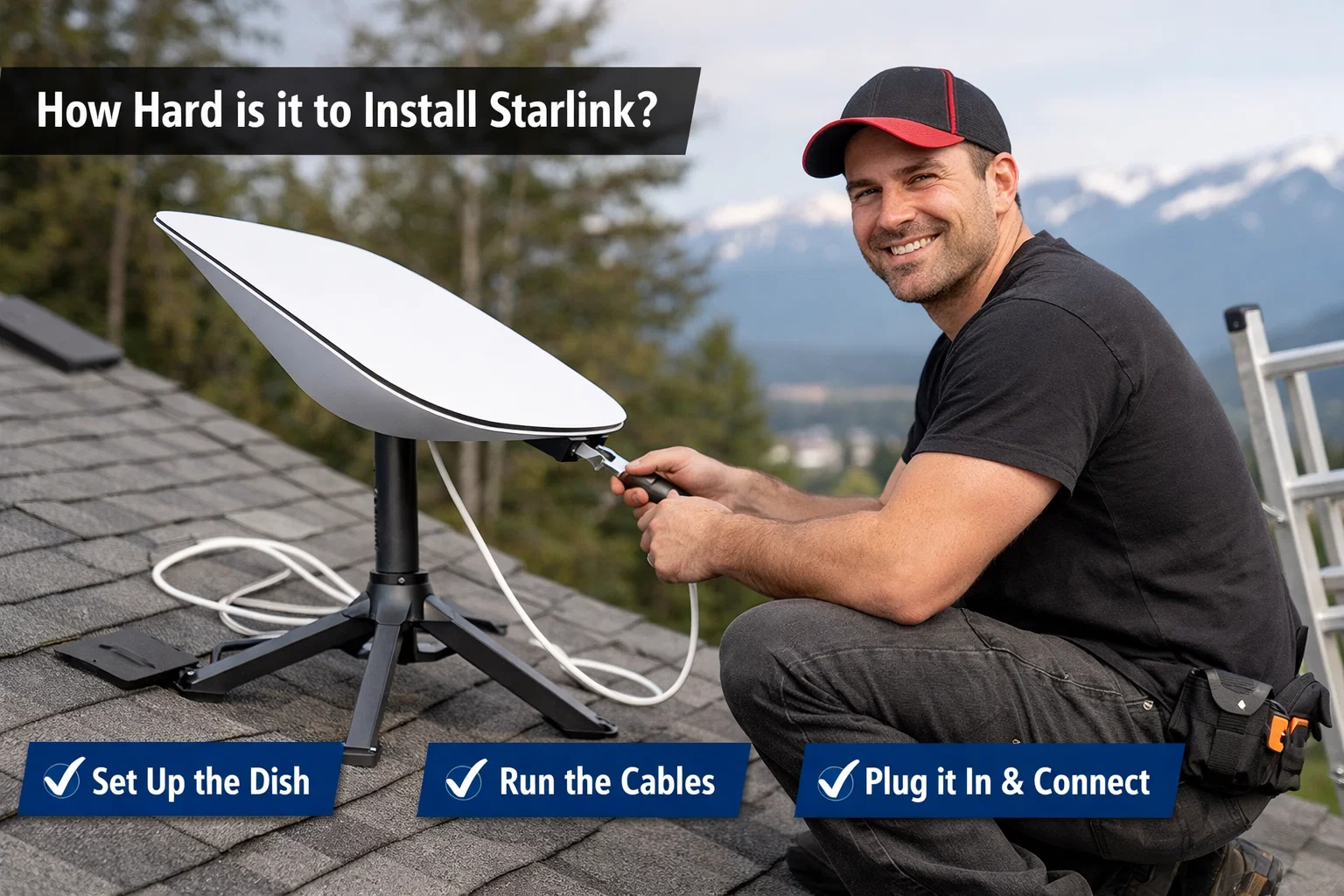
Installing Starlink, the satellite internet service created by Elon Musk, often sounds intimidating at first. Satellite dishes, roof mounts, cables, and sky visibility can make anyone wonder if the setup process is truly beginner-friendly. The good news is that Starlink was specifically designed for everyday users, not professional technicians. This article explores how hard is it to install Starlink in real-world conditions, using clear explanations, practical examples, and realistic expectations. Whether you live in a rural area, a city edge, or a remote location, this guide walks you through the entire experience, helping you decide if Starlink installation is something you can confidently handle on your own.
Understanding What Starlink Is and How It Works
How hard is it to install Starlink? Before judging difficulty, it helps to understand what Starlink internet actually involves. Starlink uses a network of low Earth orbit satellites to deliver high-speed internet directly to your home. Instead of relying on underground cables or cell towers, it connects via a small satellite dish commonly called Dishy. This dish automatically aligns itself with satellites overhead, removing much of the manual calibration older satellite systems required. Because of this automation, Starlink installation focuses more on proper placement than technical configuration. Once powered on, the system largely handles itself, which significantly reduces complexity for non-technical users.
How Hard Is It to Install Starlink Compared to Traditional Internet
When comparing options, many people ask how hard is it to install Starlink versus cable, fiber, or DSL. Traditional internet often requires scheduling technicians, drilling walls, and waiting days or weeks for activation. Starlink, by contrast, arrives as a self-install kit shipped directly to your door. There is no mandatory professional visit. Most users can go from unboxing to online in under an hour. The hardest part is usually finding a clear view of the sky. In terms of effort, Starlink installation is closer to setting up a smart TV than installing a satellite television system.
What Comes Inside the Starlink Installation Kit
The Starlink kit is intentionally minimal, which lowers installation difficulty. Inside the box, you will find the Starlink dish, a Wi-Fi router, a power supply, and pre-connected cables. Everything is labeled and designed to fit only one way, eliminating guesswork. There are no small screws, no specialized tools, and no confusing wiring diagrams. This simplicity is a major reason many users describe the process as straightforward. How hard is it to install Starlink? If you can plug in household electronics and follow basic instructions, you already have most of the skills required for Starlink setup.
Choosing the Right Location for Your Starlink Dish
The most critical step, and how hard is it to install Starlink, often the most challenging, is selecting the correct dish location. Starlink requires a clear, unobstructed view of the sky, typically facing upward with minimal interference from trees, buildings, or poles. The Starlink mobile app includes an obstruction scanning tool that uses your phone camera to evaluate sky visibility. This step determines long-term performance, not just installation success. While physically easy, it does require patience and awareness of your surroundings. Choosing the wrong spot can lead to signal interruptions, making location selection more important than technical skill.
Ground Mount vs Roof Mount Installation Difficulty
Many users wonder whether mounting affects how hard is it to install Starlink. A ground mount is the easiest option, often requiring no tools at all. You simply place the dish in an open area and let it self-align. Roof mounts are more complex and may involve drilling, ladders, and weatherproofing. While still manageable, roof installations are better suited for users comfortable with basic home improvement tasks. The core Starlink system remains unchanged, but physical mounting complexity increases based on placement height and surface type.
Step-by-Step Overview of the Starlink Setup Process
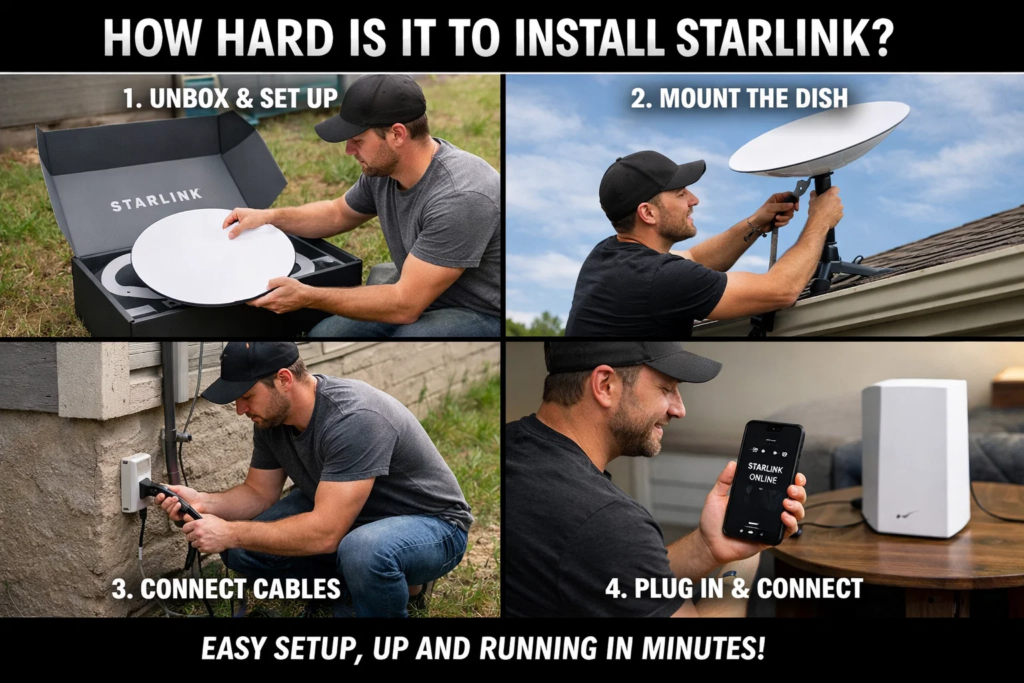
From start to finish, Starlink setup follows a logical flow. First, you assemble the dish stand or mount. Second, you place the dish in your chosen location. Third, you connect the single cable from the dish to the router and power source. How hard is it to install Starlink? Finally, you power on the system and follow in-app instructions. The dish automatically positions itself within minutes. There is no manual satellite aiming, no signal tuning, and no firmware installation. For most users, the entire process feels intuitive, which dramatically reduces the perceived difficulty.
How Technical Skills Affect Starlink Installation Difficulty
A common concern is whether technical knowledge is required. In reality, Starlink installation demands very little technical expertise. There are no IP settings, no modem configuration pages, and no advanced networking steps unless you choose custom options. How hard is it to install Starlink? The router comes pre-configured, and the app handles network naming and passwords. Even users with minimal experience setting up electronics report success. The process emphasizes physical placement rather than digital configuration, making it accessible to a wide range of skill levels.
Time Required to Install Starlink for Most Users
Time investment is another factor when evaluating how hard is it to install Starlink. Most installations take 30 to 60 minutes from unboxing to active connection. This includes scanning for obstructions and waiting for the dish to initialize. More complex mounts can add time, especially roof installations. However, even extended setups rarely exceed a few hours. Compared to waiting days for a technician, Starlink’s time requirement feels refreshingly efficient and under the user’s control.
Common Installation Challenges and How to Overcome Them
While generally simple, some challenges can arise. How hard is it to install Starlink? Obstructions like trees are the most frequent issue. In such cases, relocating the dish or using a higher mount solves the problem. Cable routing through walls may require planning, especially in finished homes. Weather conditions can also affect installation comfort, though not system functionality. Importantly, none of these challenges are technical failures. They are practical obstacles that can be resolved with patience, making Starlink installation more about problem-solving than expertise.
How Hard Is It to Install Starlink in Rural or Remote Areas
Starlink is particularly popular in rural regions, where traditional internet is limited. Ironically, these locations often make installation easier. How hard is it to install Starlink? Open land usually provides clear sky views, reducing obstruction issues. There are fewer buildings and trees, and ground mounting is often sufficient. Even in off-grid settings, Starlink can work with generators or solar systems. For rural users, how hard is it to install Starlink often translates to “surprisingly easy,” especially compared to unavailable alternatives.
Weather and Environmental Factors During Installation
Weather rarely affects the technical setup, but it can influence physical comfort. How hard is it to install Starlink? Installing on a roof during rain or strong winds is not ideal. However, once installed, Starlink is designed to withstand snow, heat, and heavy rain. The dish even includes snow-melting capabilities. From an installation perspective, choosing a calm, dry day simplifies the process. Environmental durability after setup means you only deal with weather once, not continuously.
Is Professional Installation Necessary for Starlink?
Starlink does not require professional installation, and this is a key selling point. How hard is it to install Starlink? However, some users choose professional help for complex roof mounts or cable routing. This is a personal choice, not a system requirement. The fact that professional installation is optional highlights how accessible the process is. Most households complete setup independently, confirming that Starlink was built with user empowerment in mind.
Safety Considerations During Installation
Safety should never be overlooked. How hard is it to install Starlink? Ground-level installations pose minimal risk, but roof work requires caution. Using stable ladders, avoiding wet surfaces, and following basic safety practices are essential. Starlink equipment itself is low-voltage and safe to handle. There are no exposed electrical components. As long as physical mounting is done responsibly, installation remains safe and manageable for most users.
Long-Term Ease After Initial Setup
How hard is it to install Starlink? Once installed, Starlink requires almost no maintenance. Software updates occur automatically, and the dish self-adjusts as satellites move. There is no ongoing calibration. This means the initial installation effort is the only significant task. For users concerned about long-term complexity, Starlink offers a “set it and forget it” experience, which adds to its overall appeal.
Conclusion
So, how hard is it to install Starlink really? For most users, the answer is reassuringly simple. Starlink was engineered to eliminate technical barriers, focusing instead on smart automation and user-friendly design. The biggest challenge is choosing a clear location, not dealing with complicated setup steps. Whether you live in a city, countryside, or remote area, installation is achievable with basic skills and minimal tools. How hard is it to install Starlink? Compared to traditional internet options, Starlink stands out as one of the most accessible self-installed systems available today.
Frequently Asked Questions
Is Starlink installation difficult for non-technical users?
Starlink installation is intentionally designed for non-technical users. The system requires no manual satellite alignment, no advanced networking knowledge, and no specialized tools. Most steps involve simple actions like plugging in cables and using a mobile app. The app provides visual guidance, making it easy to follow along. Even users unfamiliar with technology typically complete the process successfully. The experience feels more like setting up a household appliance than installing complex infrastructure, which greatly lowers the learning curve.
How long does it take to get Starlink working after unboxing?
From unboxing to active internet, most users are online within an hour. This includes finding a suitable location, connecting cables, and allowing the dish to orient itself. Initialization may take several minutes as the system connects to satellites. More complex mounting options can extend the process, but delays are usually physical rather than technical. Compared to waiting for service appointments, this speed is a major advantage of Starlink.
Can Starlink be installed without drilling holes?
Yes, Starlink can be installed without drilling, especially with ground mounts or temporary placements. Many users place the dish on a lawn, patio, or flat surface. Roof and wall mounts may require drilling for stability, but these are optional. If you prefer a non-invasive setup, Starlink offers flexibility. The system functions the same regardless of mounting method, as long as the sky view is clear.
Does weather affect the installation process?
Weather does not affect Starlink’s ability to function once installed, but it can impact installation comfort and safety. Installing during calm, dry conditions is recommended, especially for roof setups. The equipment itself is weather-resistant and designed to operate in extreme conditions. Snow, rain, and heat do not require special installation adjustments, making Starlink reliable in diverse climates.
Is Starlink harder to install than satellite TV?
Starlink is significantly easier to install than traditional satellite TV. Satellite TV systems require precise dish alignment and professional calibration. Starlink eliminates manual aiming entirely through automation. The dish aligns itself, and the app handles configuration. This reduces both time and frustration, making Starlink installation far more approachable for first-time users.
What happens if I choose the wrong installation spot?
Choosing the wrong spot usually results in temporary connection interruptions, not permanent damage. The Starlink app alerts you to obstructions and allows you to reposition the dish easily. You can move the dish as needed until performance improves. This flexibility means mistakes are reversible, reducing stress during installation and allowing experimentation without consequences.
Can I reinstall Starlink if I move to a new location?
Yes, Starlink is portable and can be reinstalled at a new location. You simply unplug the system, move it, and repeat the setup process. The dish will reorient itself automatically. This portability makes Starlink ideal for renters, travelers, and seasonal homes. Reinstallation difficulty is the same as the initial setup, keeping the process consistent and user-friendly.
For More Update and Stories Visit Daily Guides